
Smart Switches
Smart lighting control for Saudi homes — choose between Zigbee, Wi-Fi, or Matter switches based on your preferred ecosystem.
What Are Smart Switches
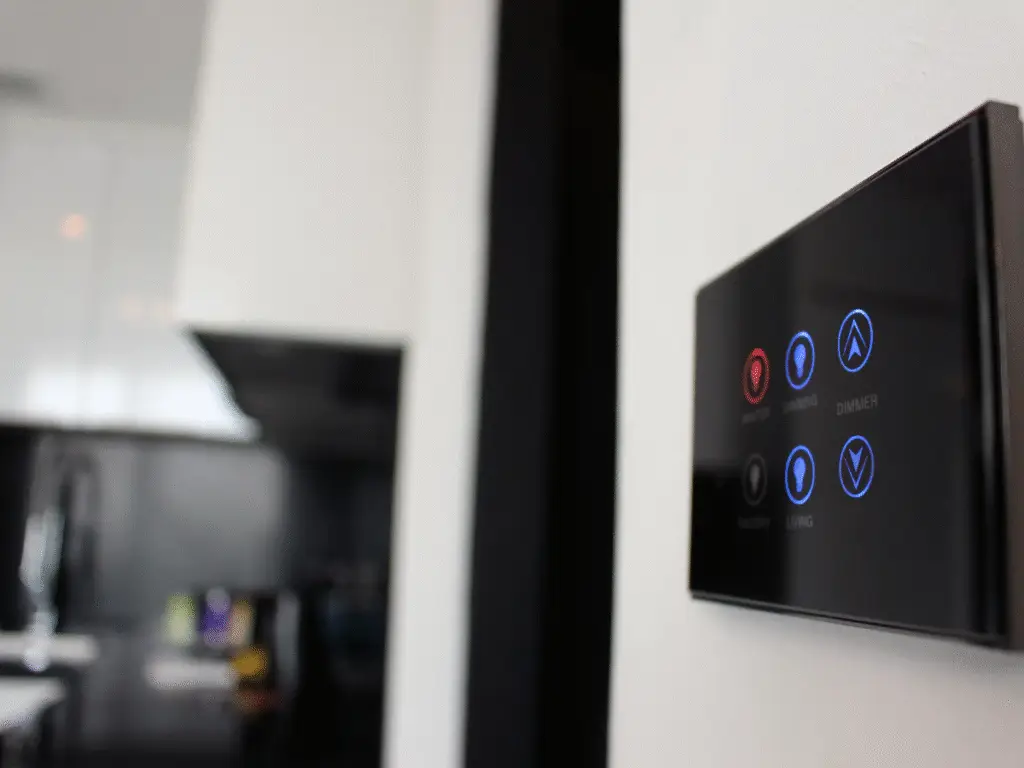
Smart switches replace your traditional wall switches and let you control lights via touch buttons, apps, voice assistants, automations, or smart scenes.
They’re ideal for homes where you want better lighting control, cleaner wall aesthetics, and integration with platforms like Alexa, Google Home, Tuya, or Matter.
Product Recommendations Coming Soon
HOMETECH is currently reviewing the best Zigbee, Wi-Fi, and Matter smart switches suitable for Saudi electrical standards.
Why Smart Switches Are Popular
Seamless Lighting Control
Turn lights on/off or dim them using touch, app, voice, or automations.
Familiar and Easy for Everyone
Smart switches feel just like traditional ones, so guests and family can use them instantly.
Better Automation Possibilities
Create scenes like “Movie Time,” “Good Night,” or “Welcome Home.”
Works Even Without Internet
Zigbee and Matter switches continue working locally even if Wi-Fi goes down.
Compatibility & Technical Notes
Smart Switches typically follow these compatibility rules:
Connectivity:
Smart switches commonly use Zigbee, Wi-Fi, or Matter, depending on the brand and model.
Neutral Wire Requirements:
Wi-Fi switches always require a neutral line.
Zigbee switches often work with or without a neutral, depending on the specific model.
Using a neutral version is recommended for maximum stability and to avoid flickering with certain LED lights.
Zigbee Repeater Function:
Zigbee switches that are connected with a neutral line act as Zigbee routers/repeaters, strengthening the mesh network and improving coverage for other Zigbee devices throughout the home.
Ecosystem Integration:
Most switches work with Tuya, and many can integrate with Alexa, Google Home, or Apple Home (via Matter bridge/hub) depending on the communication protocol.
Hub Requirement:
Zigbee and Matter switches require a compatible hub (Tuya Zigbee hub, Matter hub, etc.) for automations and ecosystem linking. Wi-Fi switches do not require a hub but rely on cloud services for some features.
Device Control:
Switches can control lights, ceiling fans, relays, and scenes, and support automations through the connected ecosystem.
Mounting & Sizes:
Smart switches typically use standard 86mm boxes (Saudi/GCC standard) or multi-gang frames depending on the version.
Network Stability:
For optimal performance, ensure a good Zigbee mesh (if using Zigbee switches) or a stable Wi-Fi network for Wi-Fi versions.
Frequently Asked Questions
Smart Switches — Common Questions Answered
Which is better — Zigbee, Wi-Fi, or Matter?
Zigbee is best for stability, Wi-Fi is easiest for beginners, and Matter is best for future compatibility and Apple Home support.
Do smart switches work without internet?
Zigbee and Matter switches continue operating locally; Wi-Fi switches depend on cloud connection for some features.
Can I install these switches without rewiring?
Yes — as long as you choose a no-neutral smart switch, which is commonly available in many Zigbee models. These switches are designed to work without a neutral wire and can replace existing traditional switches without additional rewiring.
However, for optimal stability and performance, a neutral-wire model is recommended whenever available, especially for Wi-Fi or high-load switches.